There is some bug in libre NMS i found that suddenly my pooling has been stopped without any reason. SO to re run it i just rerun my daily.sh and validated the php to rerun it .
[root@localhost ~]# su - librenms [librenms@localhost ~]$ ./validate.php =========================================== Component | Version --------- | ------- LibreNMS | 24.8.0-72-g7d450345d (2024-09-15T05:43:11+05:30) DB Schema | 2024_08_27_182000_ports_statistics_table_rev_length (299) PHP | 8.1.21 Python | 3.6.8 Database | MariaDB 10.3.28-MariaDB RRDTool | 1.7.0 SNMP | 5.8 =========================================== [OK] Composer Version: 2.7.9 [OK] Dependencies up-to-date. [OK] Database connection successful [OK] Database connection successful [OK] Database Schema is current [OK] SQL Server meets minimum requirements [OK] lower_case_table_names is enabled [OK] MySQL engine is optimal [OK] Database and column collations are correct [OK] Database schema correct [OK] MySQL and PHP time match [OK] Active pollers found [OK] Dispatcher Service not detected [OK] Locks are functional [OK] Python poller wrapper is polling [OK] Redis is unavailable [OK] rrd_dir is writable [OK] rrdtool version ok [WARN] Your install is over 24 hours out of date, last update: Sun, 15 Sep 2024 00:13:11 +0000 [FIX]: Make sure your daily.sh cron is running and run ./daily.sh by hand to see if there are any errors.
[librenms@localhost ~]$ [librenms@localhost /]$ su root Password: [root@localhost /]# cd opt/librenms/ [root@localhost librenms]# sudo ./daily.sh Re-running /opt/librenms/daily.sh as librenms user Updating to latest codebase OK Updating Composer packages OK Updated from 7d450345d to 7034fd7a4 OK Updating SQL-Schema OK Updating submodules OK Cleaning up DB OK Fetching notifications OK Caching PeeringDB data OK [root@localhost librenms]#
PHP is a programming language often used to automate server tasks. It is part of the LAMP (Linux, Apache, MySQL, PHP) stack, which is a bundle of software used for running internet servers and services. PHP handles dynamic content, database requests, and processing and displaying data.
This step-by-step guide shows how to install PHP on CentOS 7.
Prerequisites
Access to a user account with sudo privileges
Access to a terminal window/command-line
The yum package manager, included by default
A third-party software repository, detailed below
How to Install PHP 7.2 with Apache on CentOS
Step 1: Choose PHP Version to Install
The newest stable release version of PHP is PHP 7.3.1. However, some software repositories default to older versions of the software.
One advantage of using an older release is its high stability and reliability. Newer releases may include more features, but are often more experimental and could cause system instability. If you cannot decide which version is right for you, version 7.2 is a great place to start.
Step 2: Enable Additional Software Repositories
By default, the yum package manager does not include access to the repositories that store the PHP packages. Therefore, you need to enable access to these software packages.
1. First, start by installing the yum-utils package by entering the following command in a terminal window:
sudo yum install yum-utils –y
2. Then, enable the epel-release repository by entering the following:
sudo yum install epel-release –y
3. Finally, add the following software repositories that contain the PHP packages:
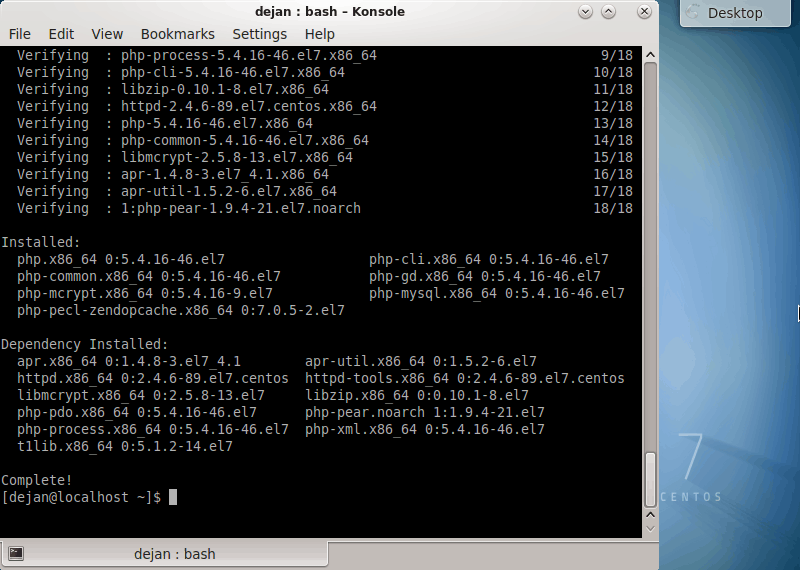
As you see, the line includes many of the modules and add-ons that help PHP integrate with your local server configuration.
The output will also indicate which dependencies have been installed.
Step 5: PHP Modules
You may have noticed that the installation script included more than just the base PHP package. Many of these are modules that provide basic functionality to PHP. Installing this set helps ensure that your PHP installation meets your expectations for usage.
Like many other Linux applications, you can enhance your system’s PHP functionality using modules.
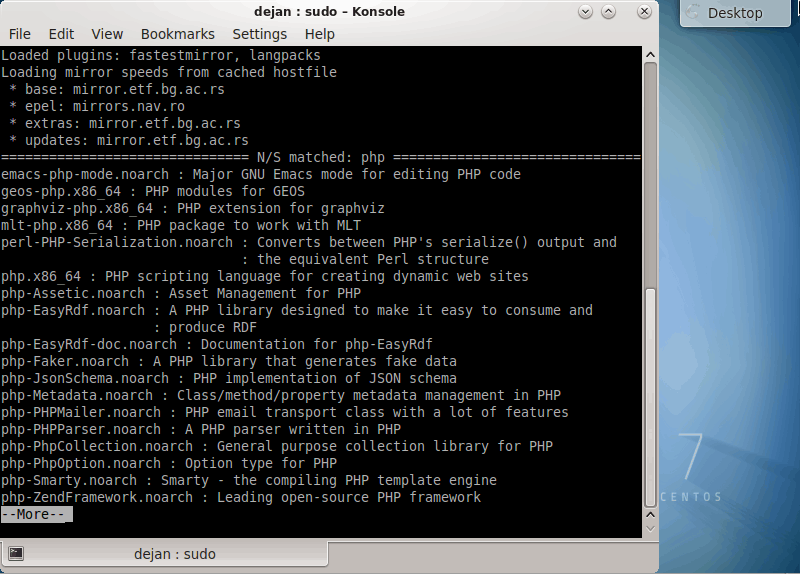
To search for available modules and generate a list of modules, type in the following command:
sudo yum search php | more
Step 6: Verify PHP Version
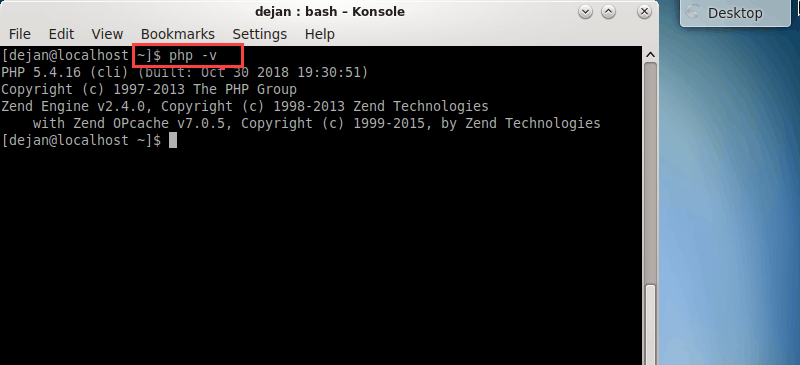
Finally, verify your installation was successful. Check which version of PHP you are running with the command:
php –v
Optional: Install PHP 7.3
You can enable Remi’s PHP 7.3 repository the same way you enabled other repositories in Step 3. However, this installation may fail if you have extensions that are not compatible with PHP 7.3.
If this is a first-time installation and you are confident that your system is compatible, you can enable PHP 7.3. Install the release with the following commands:
As the Centos-7 license has expired officially there are no mirror lists available so here is a solution given below if you are getting the error while downloading something in centos-7 in yum.(http://mirrorlist.centos.org)
CentOS 7 Cannot find a valid baseurl for repo: base/7/x86_64
Error ====
[root@localhost /]# yum install wget Loaded plugins: fastestmirror Loading mirror speeds from cached hostfile Could not retrieve mirrorlist http://mirrorlist.centos.org/?release=7&arch=x86_64&repo=os&infra=stock error was 14: curl#6 - "Could not resolve host: mirrorlist.centos.org; Unknown error" One of the configured repositories failed (Unknown), and yum doesn't have enough cached data to continue. At this point the only safe thing yum can do is fail. There are a few ways to work "fix" this: 1. Contact the upstream for the repository and get them to fix the problem. 2. Reconfigure the baseurl/etc. for the repository, to point to a working upstream. This is most often useful if you are using a newer distribution release than is supported by the repository (and the packages for the previous distribution release still work). 3. Run the command with the repository temporarily disabled yum --disablerepo=<repoid> ... 4. Disable the repository permanently, so yum won't use it by default. Yum will then just ignore the repository until you permanently enable it again or use --enablerepo for temporary usage: yum-config-manager --disable <repoid> or subscription-manager repos --disable=<repoid> 5. Configure the failing repository to be skipped, if it is unavailable. Note that yum will try to contact the repo. when it runs most commands, so will have to try and fail each time (and thus. yum will be be much slower). If it is a very temporary problem though, this is often a nice compromise: yum-config-manager --save --setopt=<repoid>.skip_if_unavailable=true Cannot find a valid baseurl for repo: base/7/x86_64 [root@localhost /]#
if you still want to use the CentOs 7 then you need to go to .repo files in the directory /etc/yum.repos.d and comment out all the mirrorlist lines and uncomment all the baseurl lines.
So for CentOs version 8 and below you will also need to change from mirror.centos to vault.centos in the baseurl lines as they are deprecated.
Old Config. ======================
[root@localhost /]# vi /etc/yum.repos.d/CentOS-Base.repo # # If the mirrorlist= does not work for you, as a fall back you can try the # remarked out baseurl= line instead. # # [base] name=CentOS-$releasever - Base mirrorlist=http://mirrorlist.centos.org/?release=$releasever&arch=$basearch&repo=os&infra=$infra #baseurl=http://mirror.centos.org/centos/$releasever/os/$basearch/ gpgcheck=1 gpgkey=file:///etc/pki/rpm-gpg/RPM-GPG-KEY-CentOS-7 #released updates [updates] name=CentOS-$releasever - Updates mirrorlist=http://mirrorlist.centos.org/?release=$releasever&arch=$basearch&repo=updates&infra=$infra #baseurl=http://mirror.centos.org/centos/$releasever/updates/$basearch/ gpgcheck=1 gpgkey=file:///etc/pki/rpm-gpg/RPM-GPG-KEY-CentOS-7 #additional packages that may be useful [extras] name=CentOS-$releasever - Extras mirrorlist=http://mirrorlist.centos.org/?release=$releasever&arch=$basearch&repo=extras&infra=$infra #baseurl=http://mirror.centos.org/centos/$releasever/extras/$basearch/ gpgcheck=1 gpgkey=file:///etc/pki/rpm-gpg/RPM-GPG-KEY-CentOS-7 #additional packages that extend functionality of existing packages [centosplus] name=CentOS-$releasever - Plus mirrorlist=http://mirrorlist.centos.org/?release=$releasever&arch=$basearch&repo=centosplus&infra=$infra #baseurl=http://mirror.centos.org/centos/$releasever/centosplus/$basearch/ gpgcheck=1 enabled=0 gpgkey=file:///etc/pki/rpm-gpg/RPM-GPG-KEY-CentOS-7
New Config.(Uncomment all Base URL REpo & comment all mirror lists.) and also you have to change need to change from mirror.centostovault.centosin the baseurl lines as they are deprecated.
=====================================
[root@localhost /]# vi /etc/yum.repos.d/CentOS-Base.repo